Set it up from your phone
Before you start
- You get Couch TV on the TV, and your phone as its remote.
- You need the TV remote and your phone, on the same Wi-Fi. No computer.
- Fully works on Android TV 10 and newer. On Google TV and Fire TV, Home still opens the TV’s own home this way. For that, use AI or the Setup app.
- Samsung, LG and other TVs can’t use this way. Use AI.
-
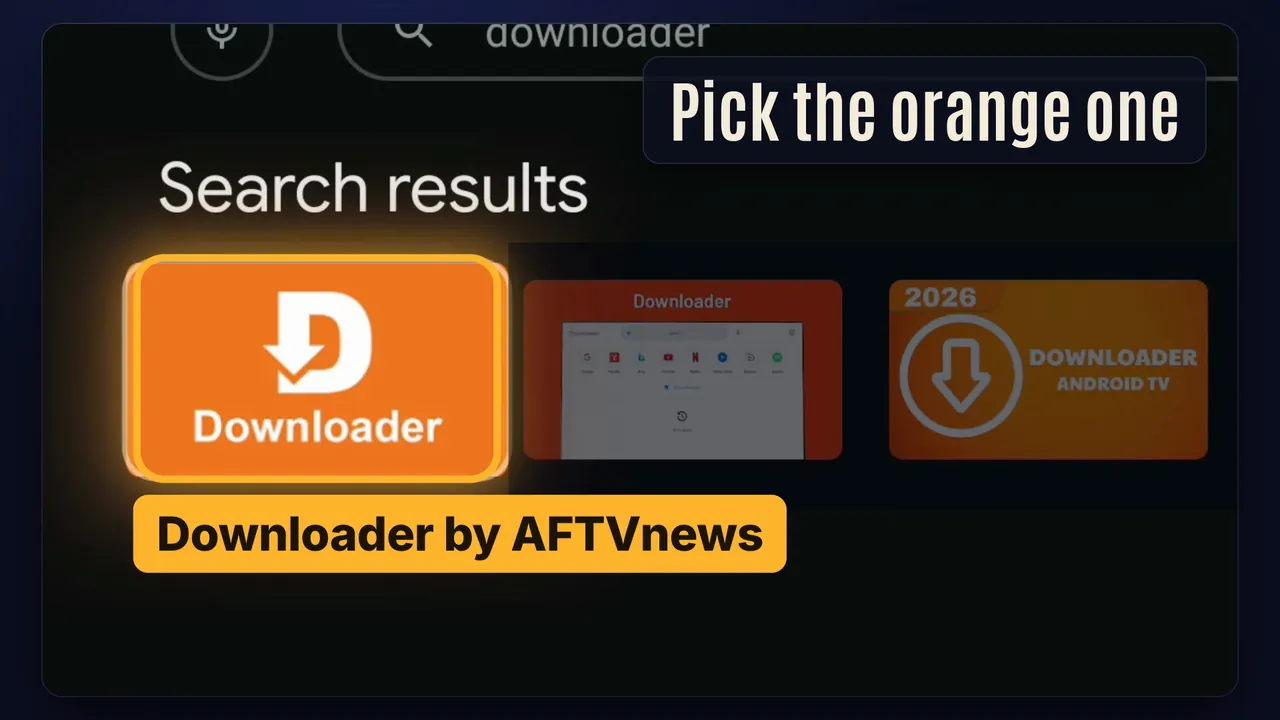
Step 1. On the TV, install Downloader from the Play Store
More help
Search for Downloader and pick the orange one, by AFTVnews. It's free. In our test it took 22 seconds.
-
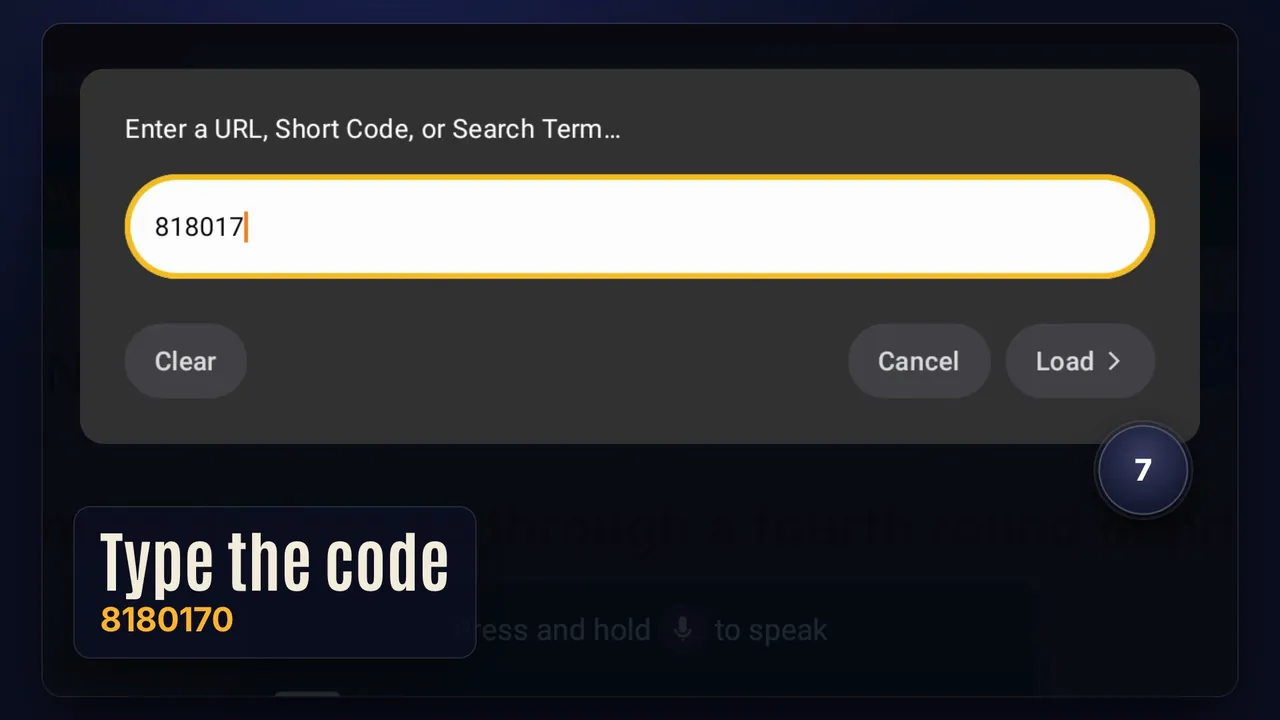
Step 2. Open Downloader, type this code, press Load
8180170The Downloader code
More help
Some versions of Downloader say Go instead of Load.
Or type the short link instead:
couchtv.sites.underseage.studio/get -
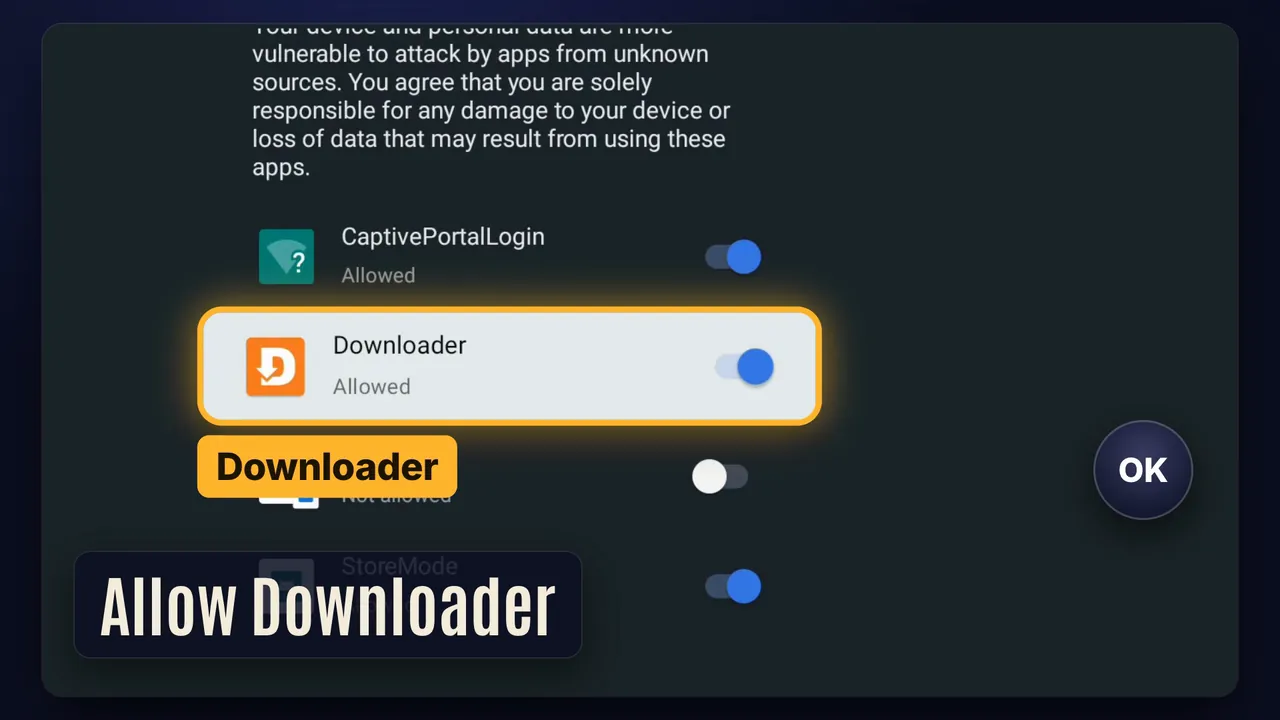
Step 3. Allow Downloader, then press Install
More help
The TV asks to let Downloader install apps. Allow it, then press Install. Couch TV installed in about 8 seconds in our test.
If Back takes you to the Play Store instead of the installer, open Downloader and type the code again.
-
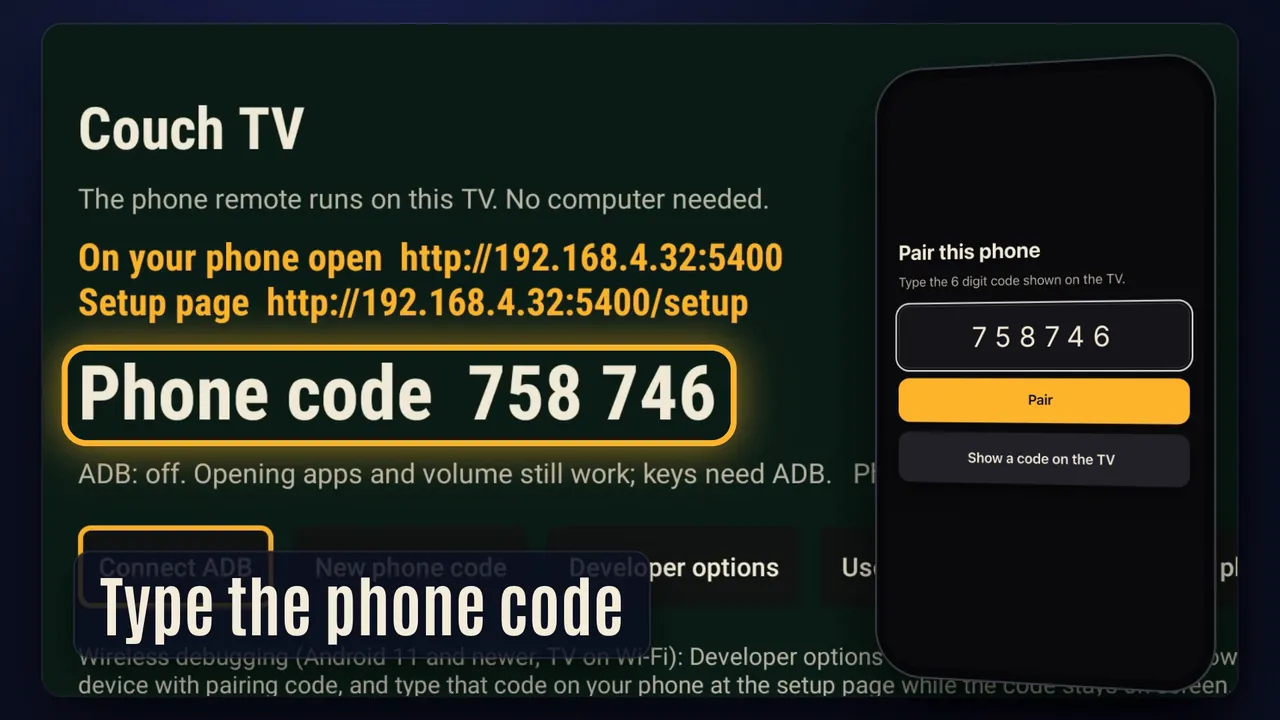
Step 4. Open Couch TV. Type its phone code on your phone
More help
Open Couch TV from the TV's apps. On your phone, open the address it shows (it looks like
http://192.0.2.10:5400) and type the 6 digit code.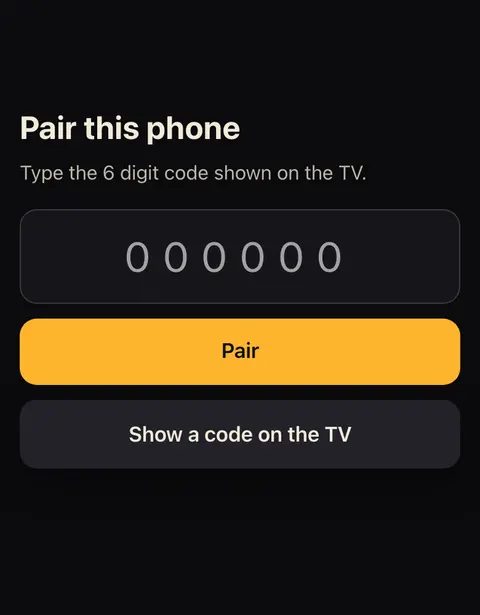
A code lasts 3 minutes. Tap Show a code on the TV for a new one. Add the page to your phone's home screen: that's your remote.
Your phone can now open apps and put on a show by name. Steps 5 and 6 add the arrows, typing and "what's playing".
-
Step 5. Settings, System, About: press Build seven times
For the full phone remote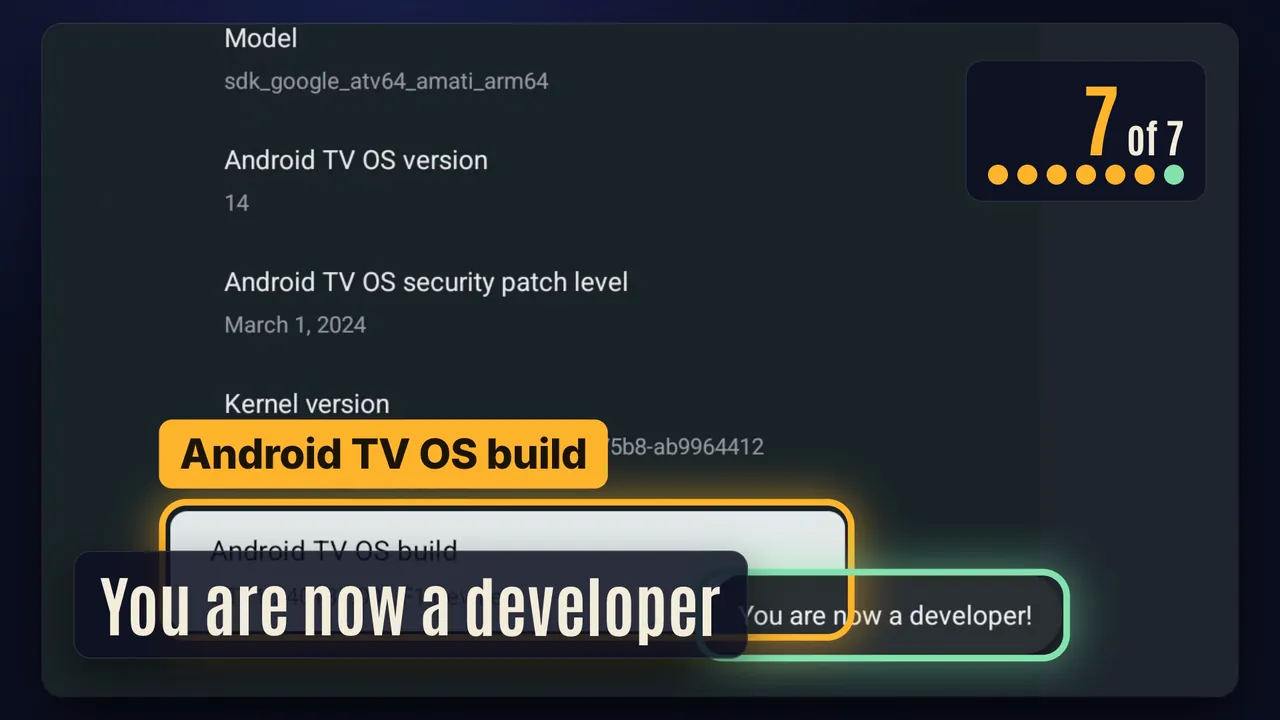
More help
Android TV 9 to 11: Settings, Device Preferences, About. Keep pressing Build (or Android TV OS build) until it says you are a developer.
-
Step 6. Turn on Wireless debugging and pair it on your phone
For the full phone remote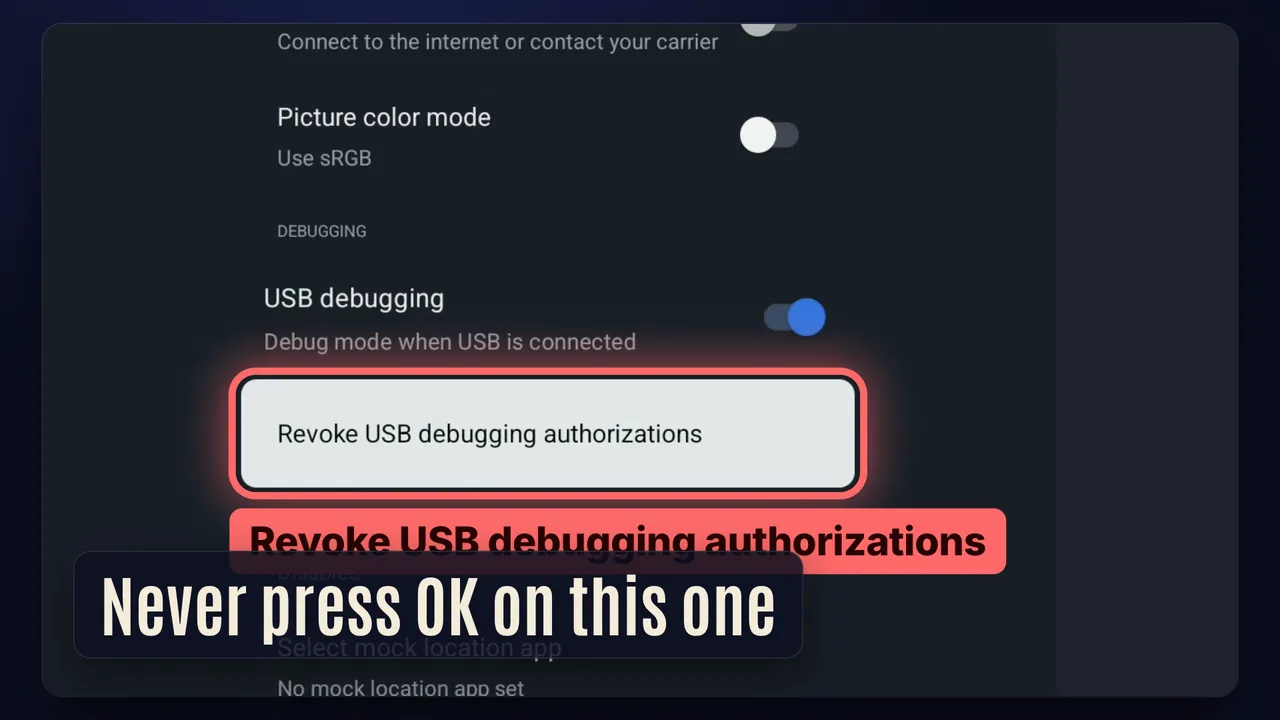
Never press OK on Revoke USB debugging authorizations.
More help
- Settings, System, Developer options, Wireless debugging: switch it on and tick Always allow on this network.
- Choose Pair device with pairing code and leave that screen open.
- On your phone, open the same address with
/setupon the end and type that code. It says connected (wireless debugging).
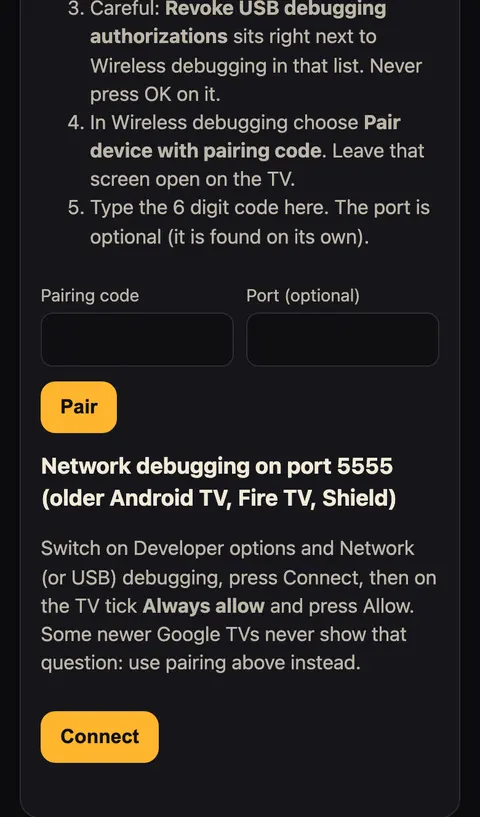
Wireless debugging needs Android 11 or newer and the TV on Wi-Fi, not a cable. On an older TV, switch on Network debugging, press Connect ADB in Couch TV, tick Always allow and press Allow.
Some TVs have neither (an Android TV 11 Toshiba in our test). There the phone opens apps but cannot press keys, and the full remote needs a computer at home: set it up with AI.
-
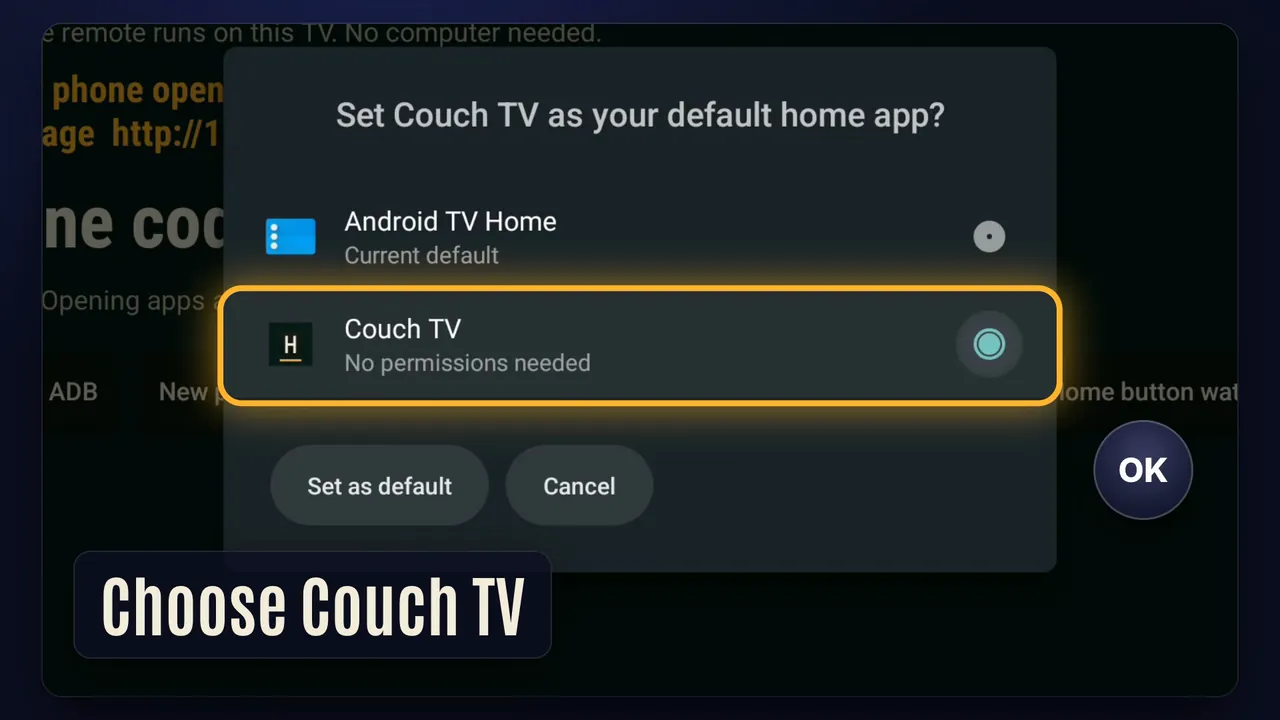
Step 7. In Couch TV, press Use as home screen. Choose Couch TV
More help
On Android TV 10 or newer, Android asks: choose Couch TV and press Always (or Set as default). If Home still opens the TV's own home, press Home button watch and switch on Couch TV home watch.
Google TV is different. Google's home keeps the Home button, so open Couch TV from your apps row, or let a computer take the Home button once (with AI or the Setup app). Never switch off or uninstall the TV's own home.
Fire TV stick
The same app runs on Fire OS, but taking the Home button back needs three one off grants from a computer, and Amazon's home flashes up first. Vega OS sticks can't install apps, so they get the Beta with a computer at home.
The phone page won't load
Phone and TV must be on the same Wi-Fi. If the router gives the TV a new address, open Couch TV to see it. An iPhone asks for Local Network access once: allow it.
Changed your mind later? Remove it in a minute. Nothing on the TV is deleted.